Creating flag variations
Create, edit, and manage variation values used by rules and defaults.
Overview
This topic explains how to create and edit flag variations.
Variations are shared across environments in a project. Targeting is environment-specific.
Because variations are shared, variation value edits should be made carefully and reviewed before publish.
Flag variations
Flags can be boolean or multivariate.
Boolean flags have exactly two variations. String, number, and JSON flags can have additional variations.
Once a flag is created, variation type is fixed. You cannot convert a number flag into a string flag after creation.
Edit flag variations
Variation edits affect all environments because variation definitions are global within the project.
If a variation is currently used in active targeting, changing its value can immediately change user-visible behavior.
A safer pattern for in-use values is adding a new variation and then updating targeting to serve the new variation.
- Open the flag and navigate to
Variations. - Add, edit, or remove variation entries as needed.
- Review where each variation is currently served.
- Click
Review and save(or the equivalent save action in your environment).
Edit variation values
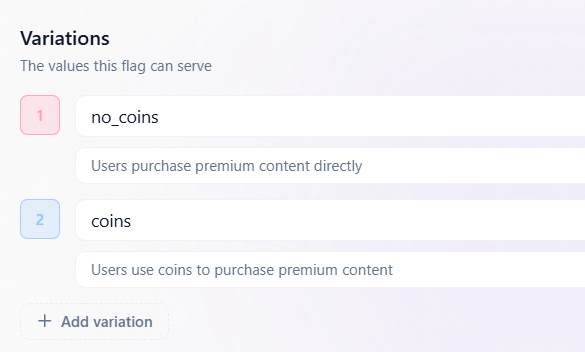
Change default flag values
ON catch-all serving comes from the Default audience (fallthrough), and OFF serving comes from offVariationID.
Refresh failures keep last-known-good values.
Always set meaningful fallback values in SDK reads (useFlag/getFlag) for startup and missing-key cases.
When defaults change, ensure QA scenarios verify both ON-default and OFF behavior paths.
Multivariate flags
Multivariate flags let you serve more than two values from a single key.
Use multivariate flags for experiments, multiple rollout states, and complex configuration delivery.
Multivariate targeting should be paired with clear variation naming so analytics and debugging remain readable.