Creating new flags
Create a flag, define its key and variations, and configure default serving behavior.
Overview
This topic explains how to create a new feature flag and configure its first serving behavior.
When you create a flag, the name should be clear and descriptive. Truflag derives a stable key from that name for SDK reads in code.
A flag can be used for UI releases, backend behavior changes, operational kill-switches, staged rollouts, experimentation, and much more.
Create a feature flag
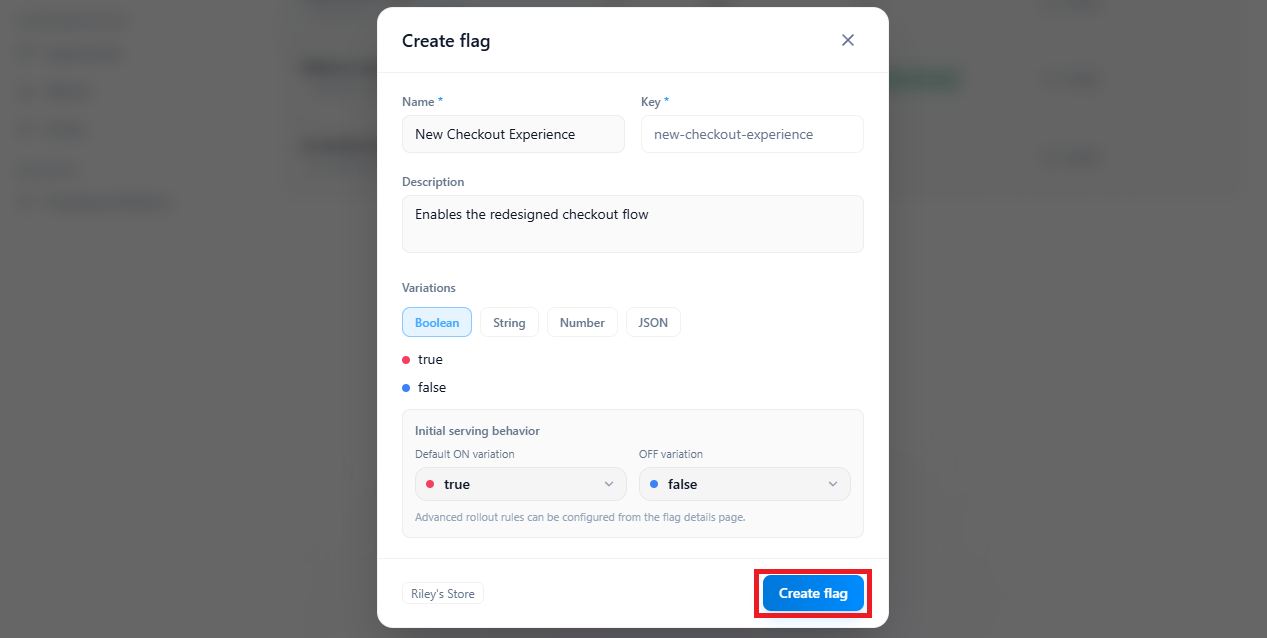
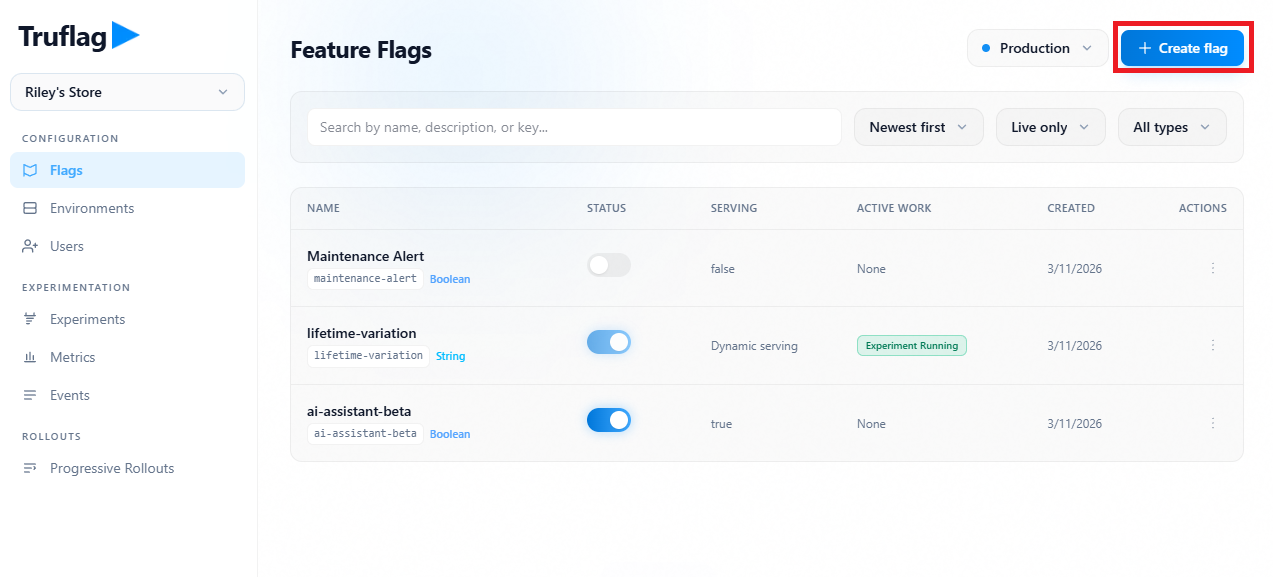
You create and modify flags from the Flags list. The create dialog captures the metadata, variation type, and initial ON/OFF serving defaults.
After a key is in production code, changing it requires coordinated code updates and deployment.
- Open
Configuration -> Flagsand clickCreate flag. - Enter a human-readable
Name. - Select a variation type:
Boolean,String,Number, orJSON. - For multivariate types, add additional variations as needed.
- Set the ON default-rule variation (
Default audience) andOFF variation. - Click
Create flag. - Review the new flag on its detail page.
- Click
Save changesafter any additional edits.
Create flag entry point
1 / 2
Configure the same flag in different environments
Flags are project-level resources and appear in every environment in that project.
**Serving configuration is environment-specific.** A targeting or rollout change in one environment does not silently mutate another environment.
Use environment switching to compare behavior between staging and production before rollout.
Set ON/OFF serving behavior
A new flag has initial ON and OFF serving behavior.
When the flag is ON, the catch-all Default audience (default rule/fallthrough) is the final path for users who do not match prior targeting rules.
When the flag is OFF, Truflag serves the configured offVariationID.
If refresh fails after values are loaded, SDK keeps last-known-good values.
Always provide an explicit fallback argument in code (useFlag(flagKey, fallback) or Flags.getFlag(flagKey, fallback)).
That fallback argument is used when SDK state is not ready or the key is missing.
Create flag modal fields