Turning flags on and off
Toggle targeting state and control what values are served in each environment.
Overview
This topic explains how to turn a flag on or off and what that means for served values.
Toggling is environment-specific. A flag can be ON in one environment and OFF in another at the same time.
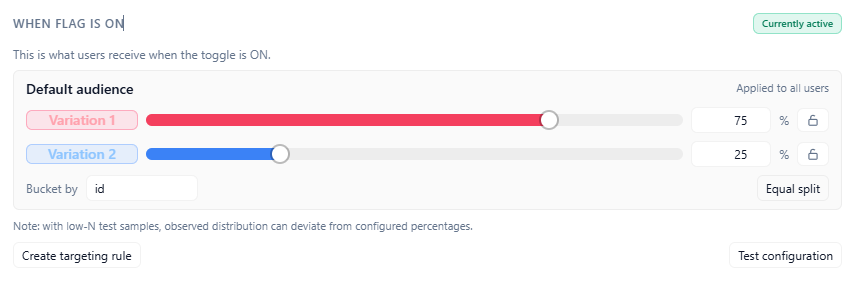
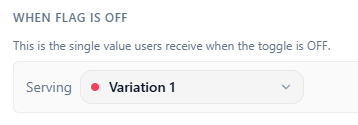
When a flag is OFF, the off variation is served. When ON, the rule chain and default rule determine the served value.
Turn on flags
Turn the flag toggle ON and save changes.
After publish, SDK clients receiving updates will evaluate the ON rule chain and default rule output.
Flag ON state
Turn off flags
Turn the flag toggle OFF and save changes.
OFF state bypasses ON targeting logic and serves the configured off variation.
Validate OFF behavior in the application path that should run when the flag is disabled.
Flag OFF state
Watch for changes in your application
After configuration changes are saved, connected SDK clients receive stream notifications and refresh state.
React and React Native hook reads update as SDK state updates.