Deleting flags
Permanently delete archived flags after code and dependency cleanup.
Overview
This topic explains how to permanently delete flags that are no longer needed.
Deletion removes the flag from all environments and removes its serving rules.
If code still requests the deleted key, SDK reads return the fallback argument from code.
Delete archived flags
Delete only after confirming the flag key has been removed from active code paths.
Many teams archive first, complete cleanup, then delete in a later lifecycle pass.
Deletion is permanent and cannot be reversed by restore.
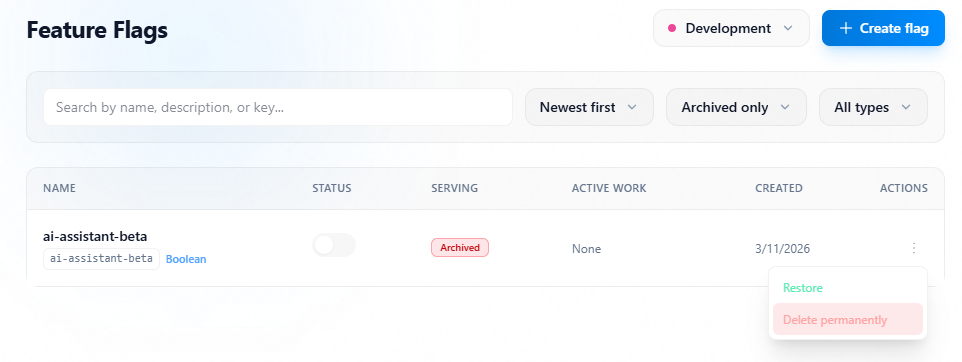
- Filter Flags list to lifecycle
Archived only. - Open the flag to delete.
- Open lifecycle actions and select
Delete. - Enter flag key confirmation value.
- Confirm delete.
Delete action
1 / 2
Click image to fullscreen