The Flags list
Use the Flags list to discover, filter, sort, and operate on feature flags.
Overview
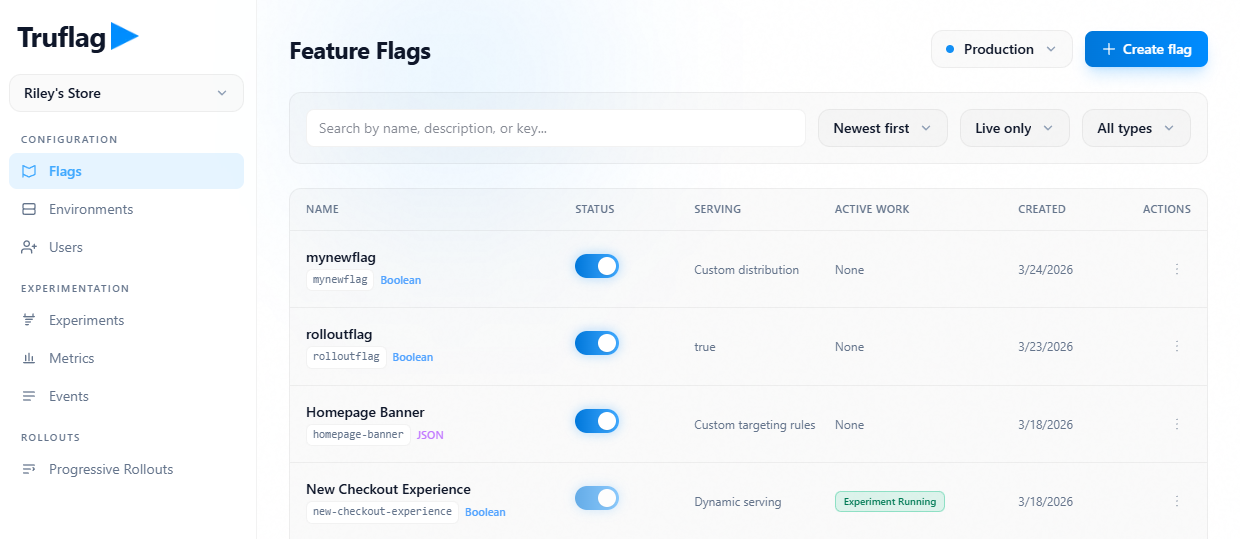
The Flags list is the operational index for all flags in a project.
From this view, teams create new flags, open existing flags, inspect status, and run lifecycle actions such as archive and delete.
The list surfaces environment-specific serving state and recent evaluation context to support release decisions.
Flags list view
Click image to fullscreen
View feature flags
Use search to find flags by name, key, or description.
Open a flag from the list to access targeting, variation, and analytics surfaces.
Use environment controls to compare the same flag across environments from the list context.
Flags inventory view

Click image to fullscreen